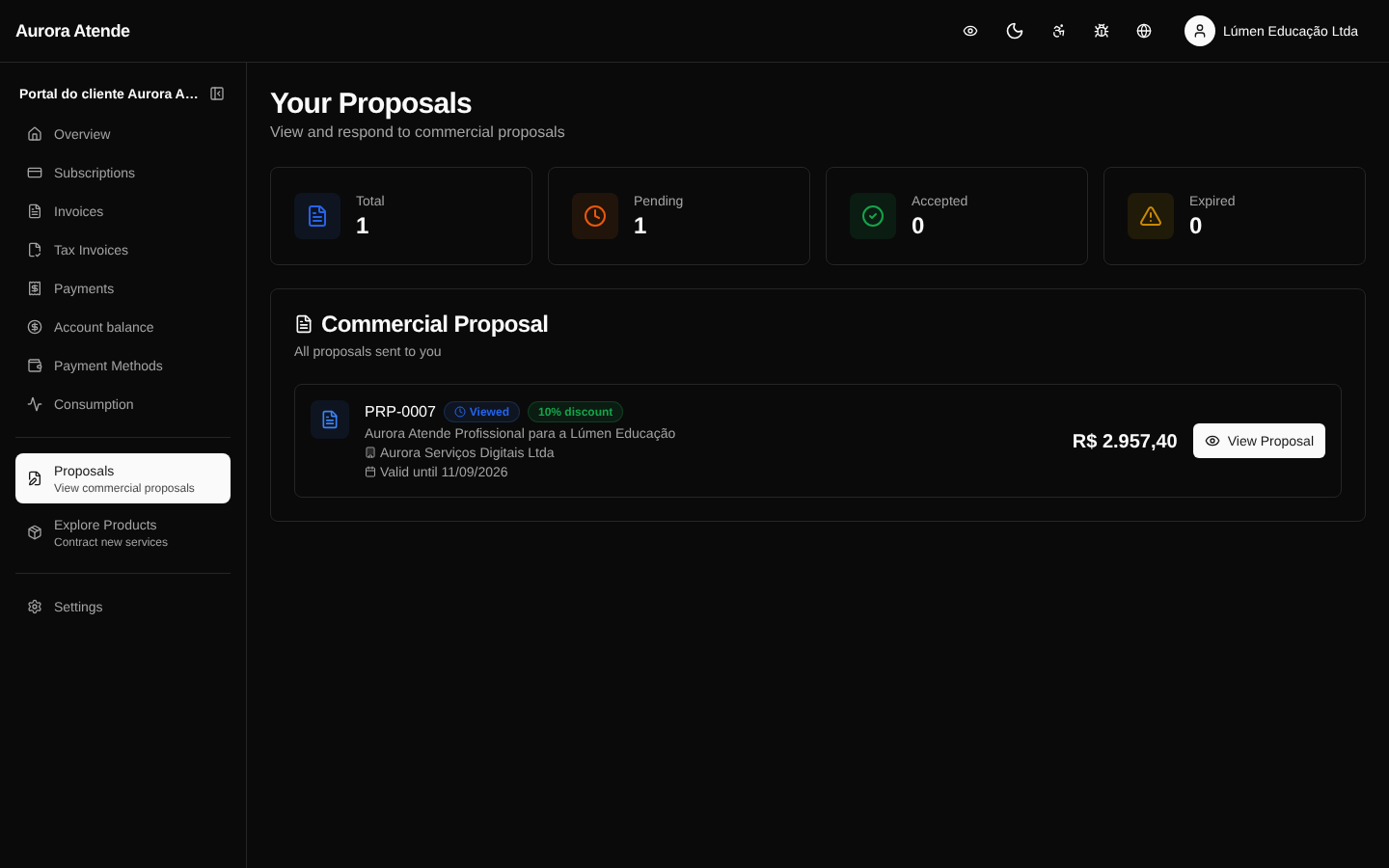
Proposals
At /portal/proposals the customer sees the commercial proposals sent by the organization's team. Each proposal details plans, items, discounts, terms and conditions — and can be accepted directly in the portal, becoming an active subscription.
Proposal states
- draft — being edited internally; not visible in the portal.
- sent — sent to the customer, awaiting action.
- viewed — the customer opened the proposal in the portal (recorded with a timestamp).
- accepted — the customer accepted; creates the subscription, the first invoice and an audit entry.
- declined — the customer declined; an optional reason is recorded.
- expired — past its validity.
Proposal content
- Customer and billing details
- Items (plans, products, add-ons) with quantity and amount
- Discounts applied, total amount and taxes
- Commercial terms (term, cycle, trial)
- PDF generated automatically for printing and filing
Accept a proposal
- The customer clicks Accept.
- Confirms the payment method (registered or new).
- The system creates the subscription, issues the first invoice and triggers the
proposal.acceptedwebhook. - The customer is redirected to the newly created subscription.
Screenshot