Invoices
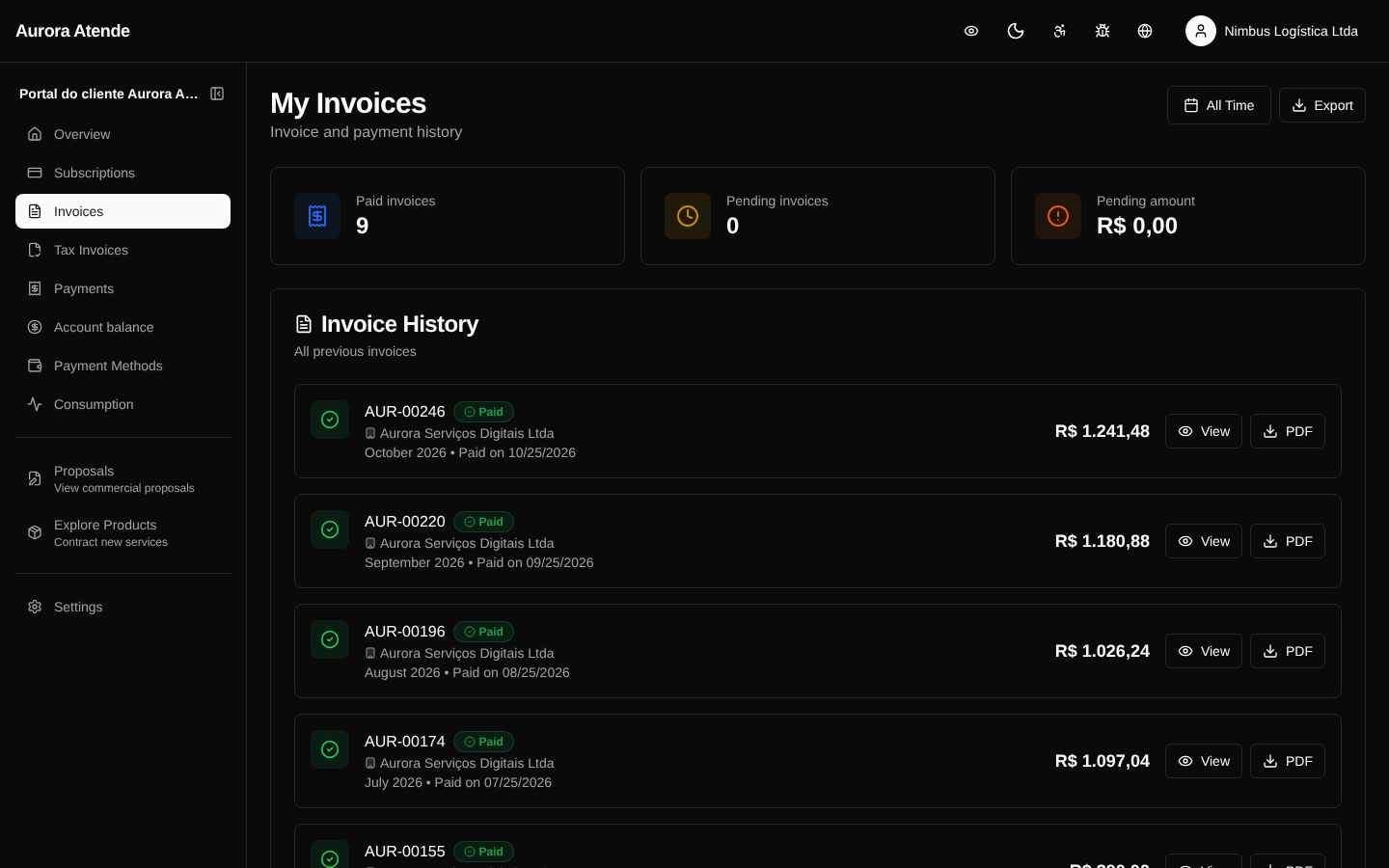
The /portal/invoices page lists all invoices of the billing account, with filters by status and period. The customer can view them, download the PDF, copy the boleto's typeable line or the PIX QR code, pay online and check the related NF-e.
Statuses visible in the portal
- Open — generated, awaiting payment.
- Paid — settled (partially or in full).
- Overdue — past the due date without payment.
- Canceled — invalidated by the organization.
- Processing — payment submitted, awaiting gateway confirmation.
Actions per invoice
- Pay — opens the payment flow with the enabled methods.
- Download PDF — generates the invoice document.
- Copy typeable line (boleto) — barcode ready to pay.
- Copy PIX — copy-and-paste code or QR code.
- View NF-e — link to the linked fiscal invoice, when issued.
- Payment history — all attempts and refunds.
Invoice detail
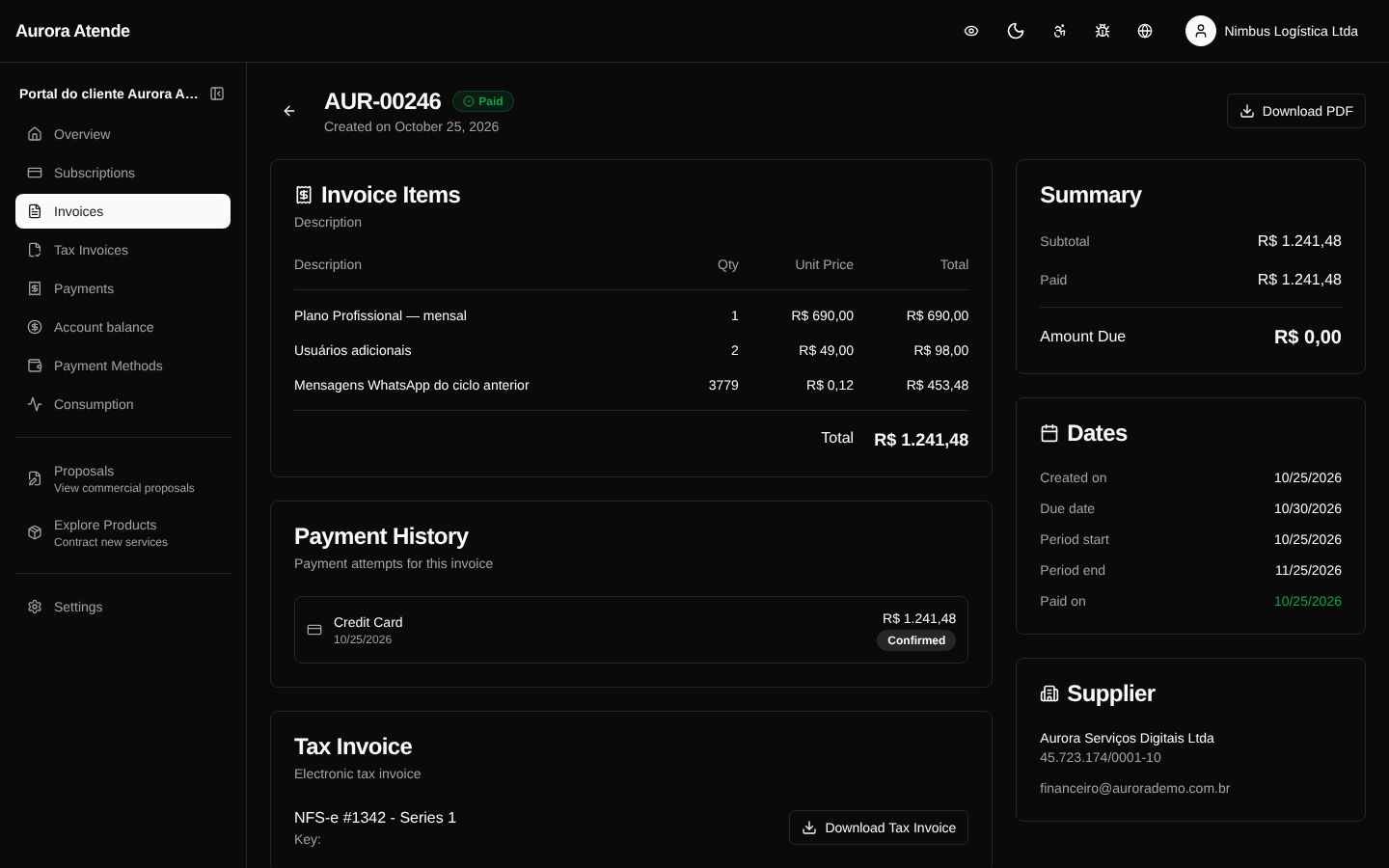
The detail page (/portal/invoices/[id]) shows:
- Line-by-line items (description, quantity, unit price, total)
- Gross total, discounts, credits applied, taxes withheld, amount due
- History of payment attempts (gateway, method, status, error)
- NF-e when there is one, with a link to download the XML and the PDF
Screenshot — list
Screenshot — detail