Subscriptions
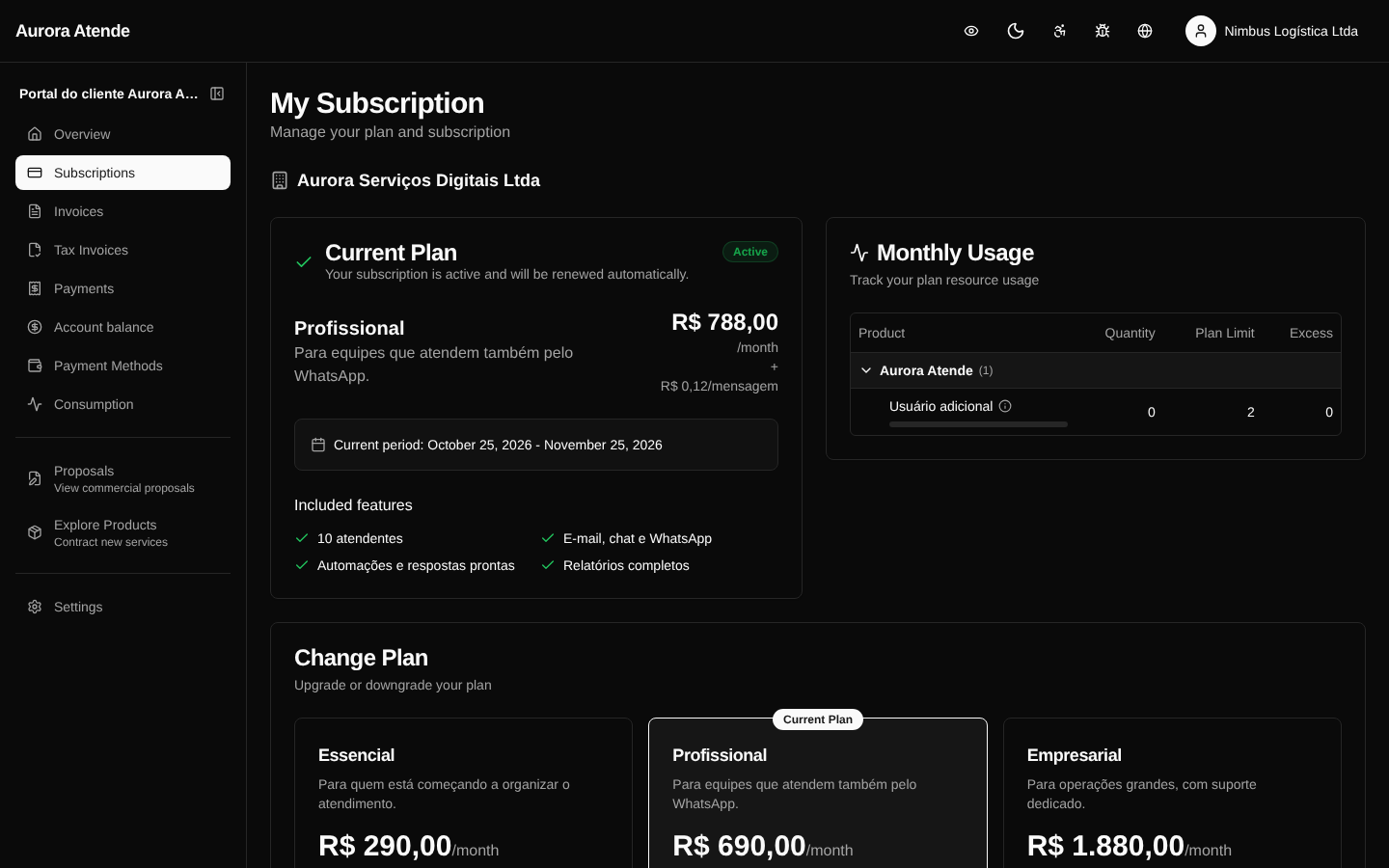
The /portal/subscriptions page lists the subscriptions linked to the authenticated billing account. Each row shows the plan, status, recurring amount, next cycle and available actions.
Information shown
- Plan and items — main product and add-ons.
- Status —
trialing,active,past_due,pausedorcanceled. - Cycle — monthly, quarterly, semiannual or annual.
- Recurring amount — in reais, formatted as
R$ 1.234,56. - Start of the current period and next cycle.
- Payment method — card ending, boleto or PIX.
Available actions
Depending on the organization's configuration, the customer can:
- Change plan — guided flow with a proration preview before confirming.
- Cancel — schedule cancellation at the end of the cycle or cancel immediately (if allowed).
- Pause — temporarily stop billing.
- Update method — change the card without affecting the subscription.
Subscription detail
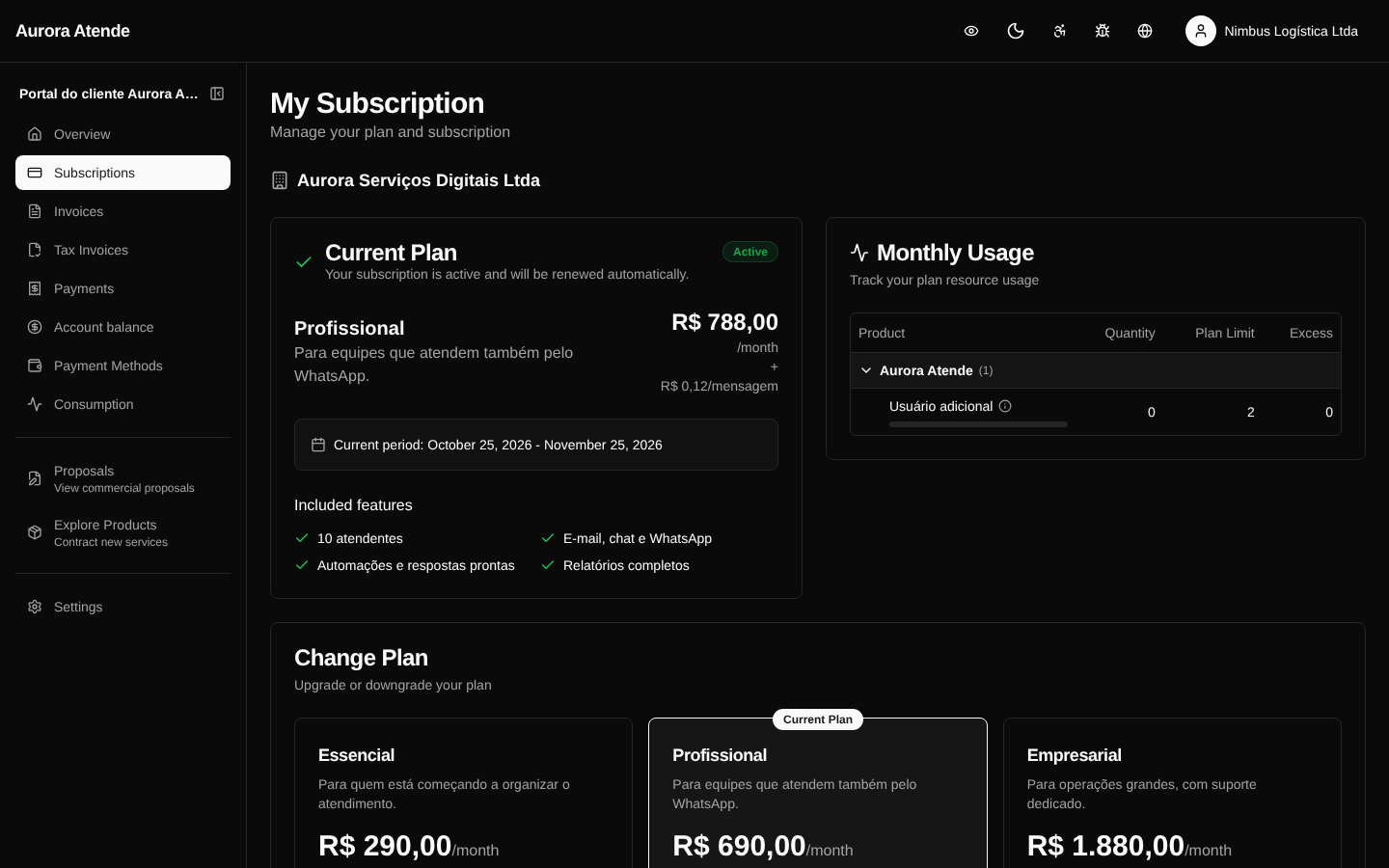
When clicking a subscription, the customer sees the detail page (/portal/subscriptions/[id]) with:
- History of invoices generated by the subscription
- History of changes (plan, items, pauses)
- Event timeline
- Related documents (contract, original proposal)
Screenshots
Subscription list
Subscription detail