NF-e Issuance
NF-e Statuses
draft → pending → processing → issued
         ↓ (error)     → error

issued → pending_cancel → canceling → canceled
          ↓ (error)          → error
| Status | Description |
|---|---|
| draft | Draft, not yet submitted |
| pending | Queued for issuance |
| processing | Being processed by the provider (async) |
| issued | Successfully issued |
| pending_cancel | Marked for cancellation |
| canceling | Cancellation in progress |
| canceled | Successfully canceled |
| error | Issuance/cancellation failed after exhausting attempts |
NF-e Fields
Identification
| Field | Description |
|---|---|
| Invoice | Associated invoice |
| Billing account | Customer |
| Company | Issuing company |
Numbers and Keys
| Field | Description |
|---|---|
| NF-e number | Sequential number |
| Series | NF-e series |
| Key | 44-digit key |
| Verification code | For lookup |
| RPS number | Provisional Service Receipt |
Service
| Field | Description |
|---|---|
| Amount (cents) | Service amount |
| Service code | LC 116/2003 code |
| Description | Description of the service provided |
| CNAE code | Activity classification |
| NBS code | Brazilian Nomenclature of Services |
Taxes
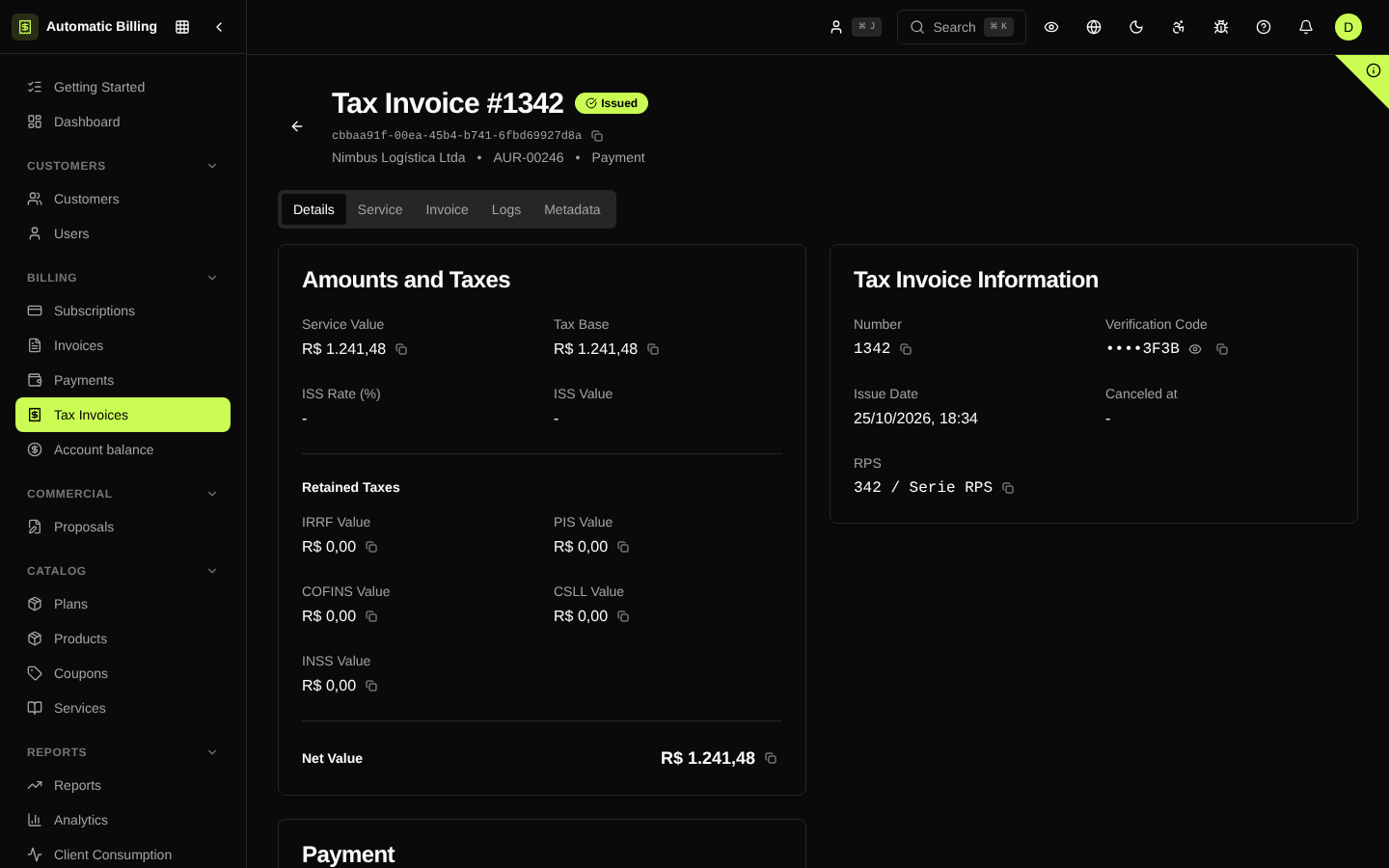
The NF-e stores the breakdown of calculated taxes:
- ISS (rate and amount)
- PIS, COFINS, CSLL
- IRRF
- INSS
URLs
| Field | Description |
|---|---|
| XML URL | Download the invoice XML |
| PDF URL | Download the DANFE in PDF |
Customer Snapshot
The NF-e stores a snapshot of the customer data at the time of issuance:
- Name, document, email, phone
- Full address with IBGE city code
This ensures the invoice reflects the correct data even if the customer updates their information later.
Audit Trail
Each HTTP request made to the provider is recorded in NfeRequestTry:
- Action (issue, cancel, query)
- Endpoint called
- Complete request and response
- HTTP status
- Duration in milliseconds
- Result (success/failure)
Screenshots
NF-e list
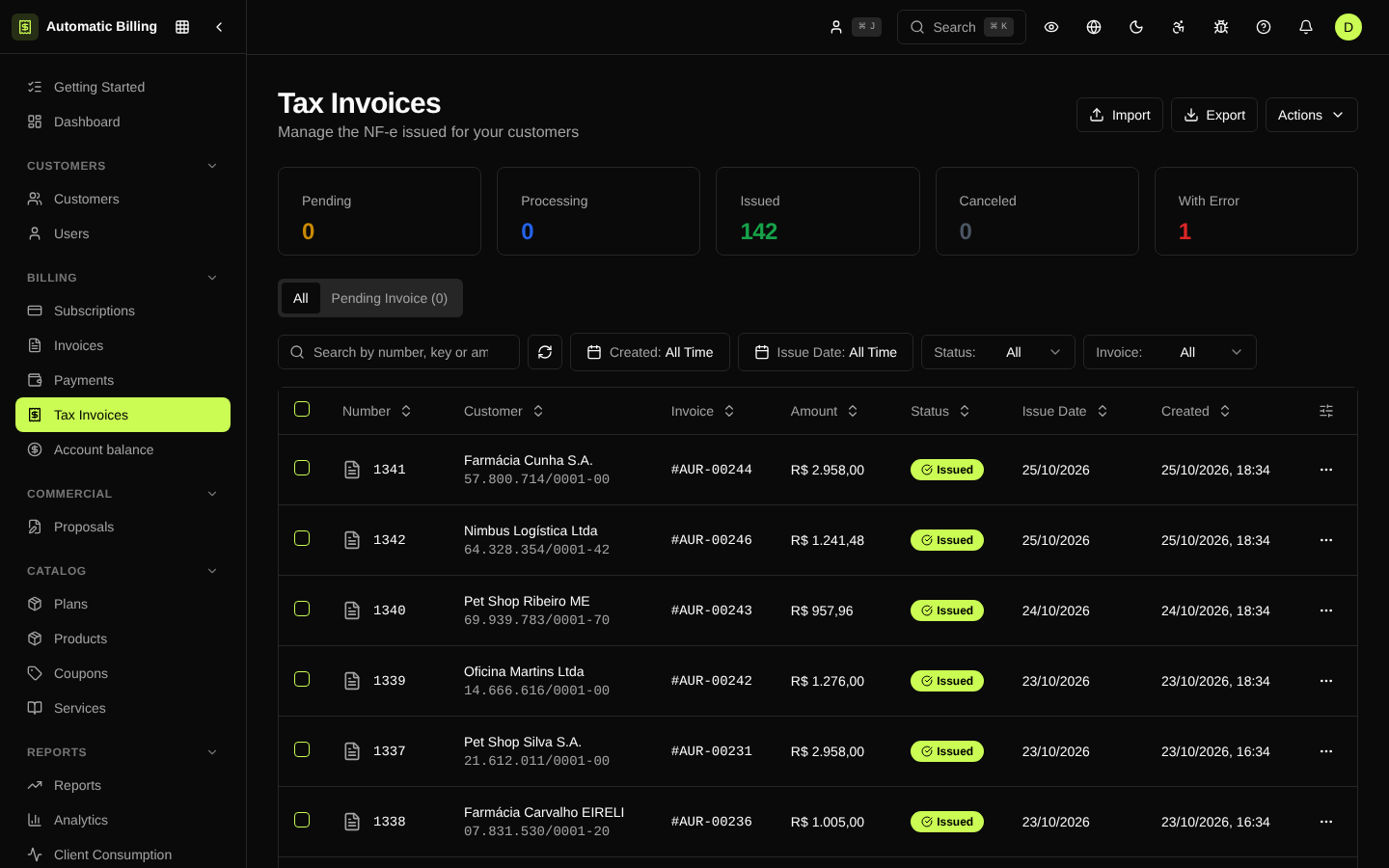
The /dashboard/nfes screen lists all issued fiscal invoices, with filters by status (pending, processing, issued, error, canceled), company, customer, range and number. Each row shows number, amount, calculated taxes, invoice/origin and actions (download XML, PDF, resend, cancel).
NF-e detail
The /dashboard/nfes/[id] page brings together the complete fiscal data: issuer, recipient, items (with LC 116/municipal codes), calculated taxes, withholdings, XML returned by the municipality, PDF and history of attempts at the provider.