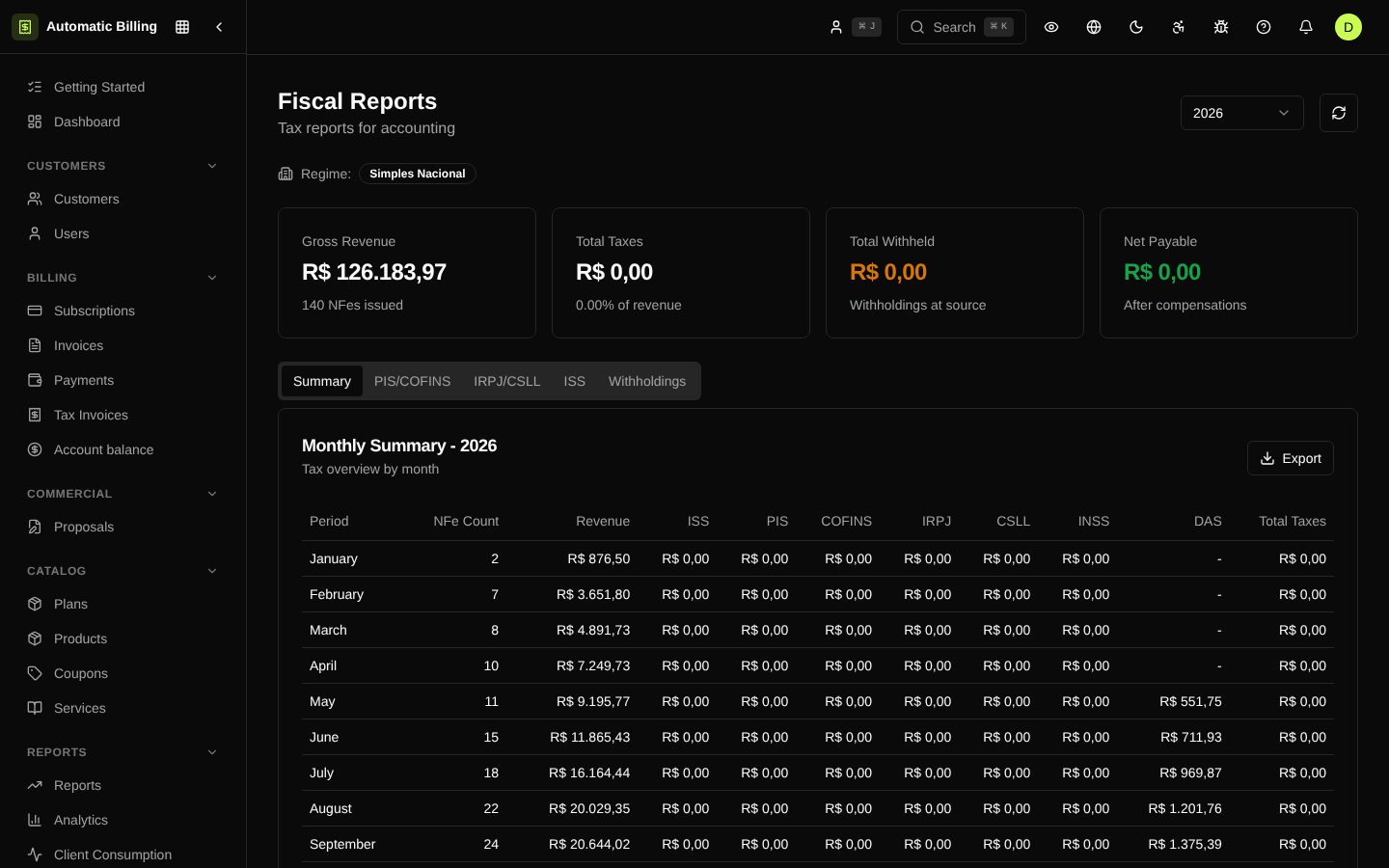
Fiscal Reports
The fiscal reports area (/dashboard/fiscal/reports) consolidates the information needed for accounting close and for generating ancillary tax obligations. The data is built from the organization's paid invoices, issued NF-e, withholdings and closed tax periods.
Report types
- Summary by accrual period — gross revenue, taxable revenue, ISS, PIS, COFINS, IR, CSLL, INSS and estimated DAS per month, quarter or year.
- Withholdings suffered — all withholdings applied by the service takers (IR, INSS, CSRF, ISS), with calculation base, rate, amount withheld and status (
open,partially_compensated,fully_compensated). - NF-e issued in the period — paginated list with number, series, amount, status, municipality code, rates applied and calculated taxes.
- DAS / Simples Nacional — for companies under the simplified regime, the report shows the RBT12, the current bracket and the estimated amount of the payment slip.
Available filters
- Company — limits to one of the registered companies.
- Period — month, quarter, year or custom range.
- Tax regime — when the organization has companies under different regimes.
How the amounts are calculated
The reports query the tax_periods, tax_computations, withholdings and nfes tables directly, always filtered by organization_id. closed periods are immutable; open periods may change as new invoices are paid or NF-e are issued. To close the accrual period, use Tax Periods.
Export
Reports can be exported as CSV to send to the accountant or import into bookkeeping systems. Exports are available in Export and Import.
Screenshot