Credits
The credit system allows adding balance to a customer's account that is automatically applied to future invoices.
Credit Types
| Type | Description |
|---|---|
promotional | Promotional credits (may expire) |
adjustment | Administrative balance adjustments |
refund | Credit generated from a refund |
manual | Manual credit addition |
Credit Fields
| Field | Description |
|---|---|
| Billing account | Customer receiving the credit |
| Company | Issuing company (for application scoping) |
| Type | Credit type |
| Amount (cents) | Total credit amount |
| Amount remaining | Unused balance |
| Description | Reason or description of the credit |
| Expires at | Expiration date (null = never expires) |
Automatic Credit Application
When an invoice is finalized, the system automatically applies credits using the FIFO strategy:
Application Order
- Credits expiring soonest (priority to avoid loss)
- Oldest credits (when expiration dates are equal)
Company Scoping Rules
- If the invoice has a company: applies credits from the same company and credits without a company
- If the invoice has no company: applies only credits without a company
Process (in atomic transaction)
- Fetches unexpired credits with available balance
- For each credit: applies the minimum of (credit balance, invoice remaining amount)
- Creates a
CreditApplicationrecord for traceability - Updates the credit and invoice balances
- If the invoice is fully paid: marks it as
paid - Updates the billing account's
balance
Credit Restoration
When an invoice is voided, all applied credits are restored:
- Each credit has its remaining balance increased
- The
CreditApplicationrecords are removed - The invoice returns to
openstatus - The billing account balance is updated
Credit Expiration
Credits with an expiration date are automatically zeroed out when the date passes:
- The
amount_remainingis set to 0 - The billing account balance is reduced
Operations
- Add credit: Creates a credit and increments the account balance
- Adjust balance: Adds or subtracts credits
- Refund credit: Creates a credit of type
refund - Promotional credit: Creates a credit with optional expiration
- Delete credit: Only if never used (remaining balance = total amount)
- Check available balance: Returns total available, active credits, and expiring credits
Screenshot
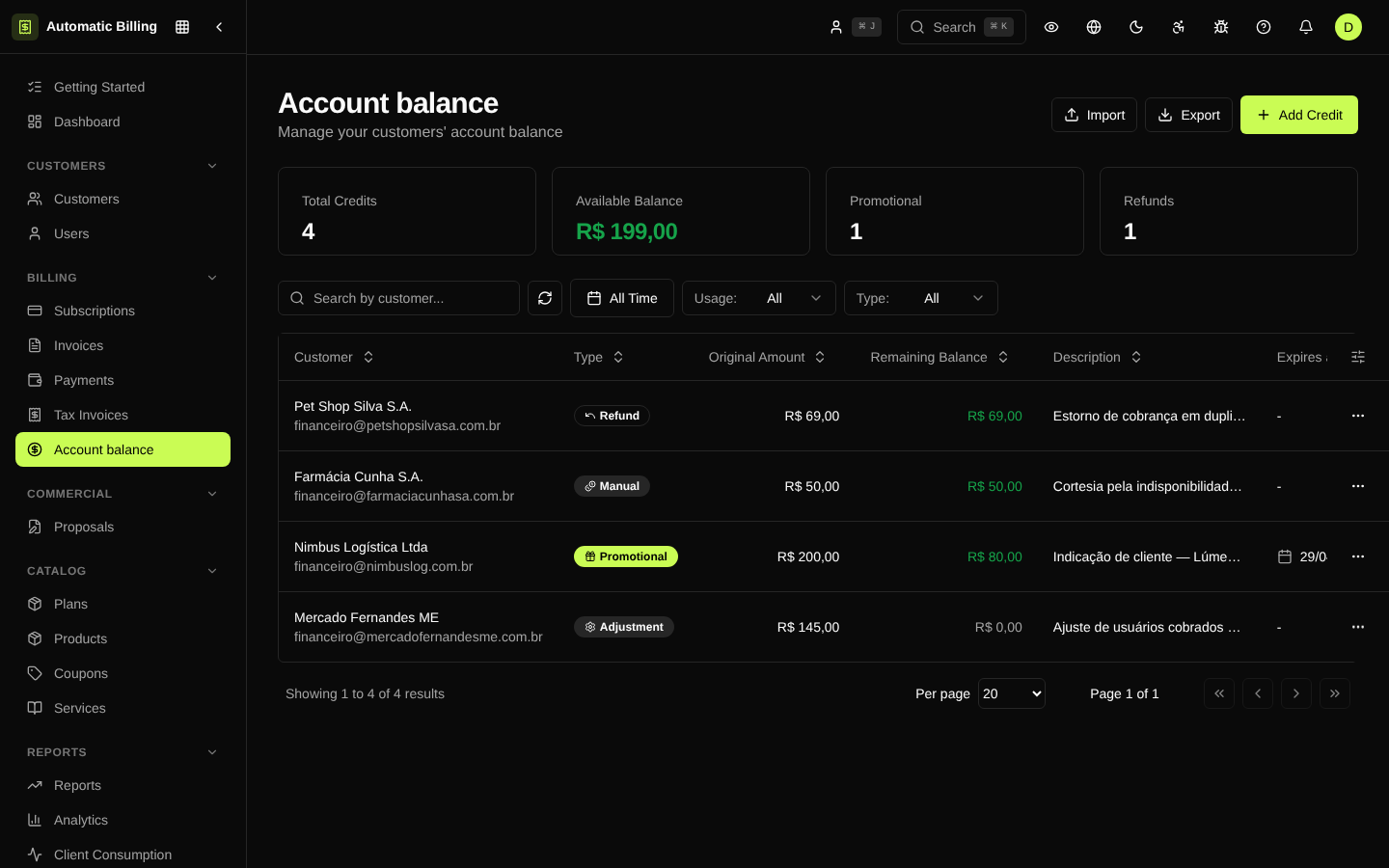
The /dashboard/credits screen lists all of the organization's credits, with filters by status, origin (downgrade, refund, manual adjustment, promotion), billing account and period. The interface also lets you create one-off credits and see the aggregated balance per customer.