Companies
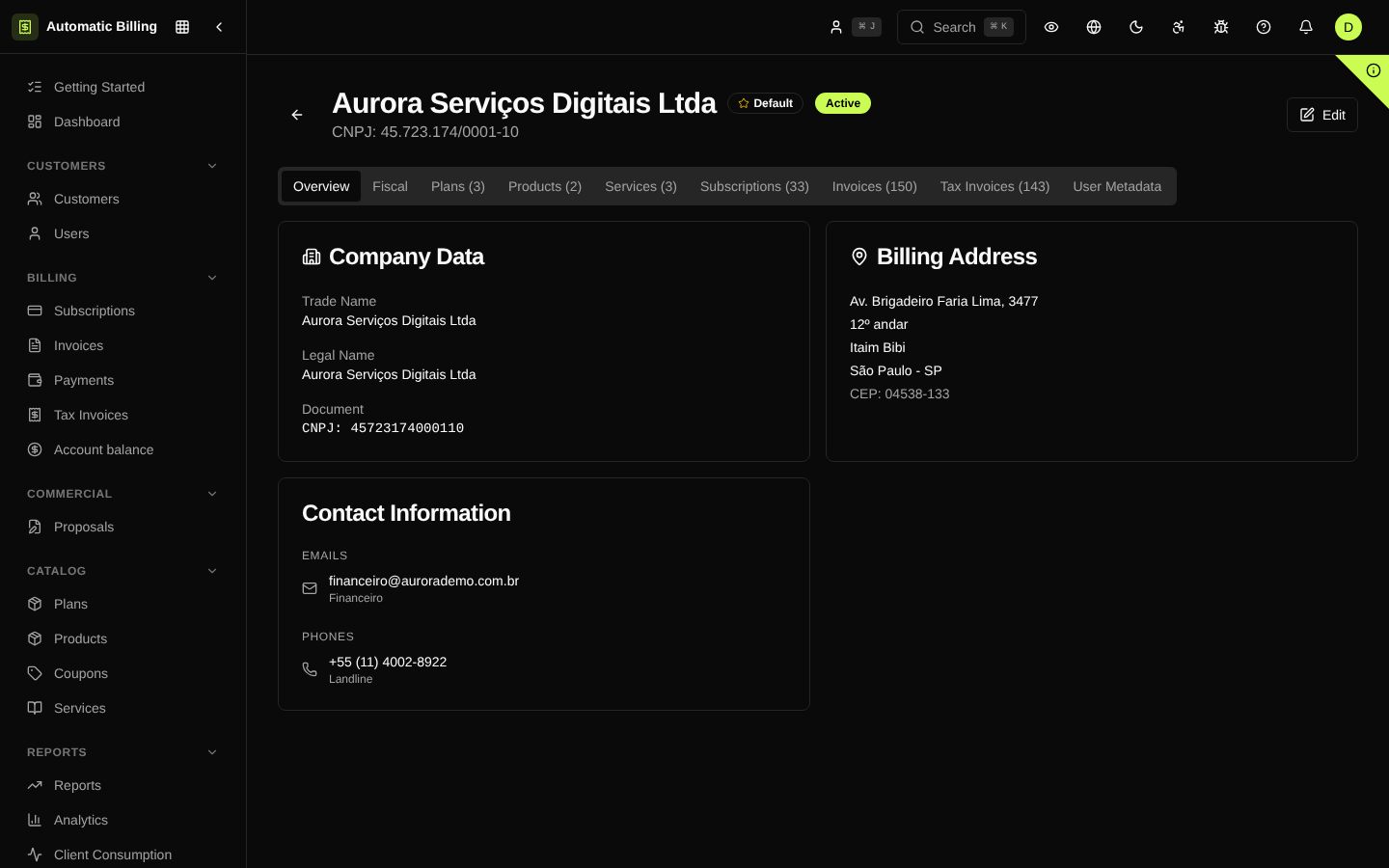
At /dashboard/companies the organization registers its issuing legal entities — the companies that sign contracts, invoices and NF-e. An organization can have several companies (headquarters, branches or different CNPJs from the same group) and set one as the default for billing.
Registration data
Each company holds:
- Legal name and trade name
- CNPJ and municipal and state registrations
- Full address (CEP, street, number, complement, neighborhood, city, state)
- Tax regime — Simples Nacional, Lucro Presumido, Lucro Real, MEI
- Simples Nacional annex (when applicable) and Factor R
- Fiscal contact — email and phone for sending NF-e and fiscal communications
- Status — active or deactivated
Default company
One of the companies is marked as the default. Every new invoice or NF-e uses this company as the issuer, except when the customer, the plan or the subscription specifies another. Changing the default company does not change existing invoices or subscriptions.
Multi-company
Multi-company support lets a group operate separate CNPJs in the same dashboard:
- Catalog separated by company — each company can have its own products, service items and tax rules.
- Isolated tax calculation — tax periods and DAS are calculated per company.
- Invoices issued by the right company — the customer sees the correct CNPJ on the invoice and the boleto.
Deactivation
Companies can be deactivated (not deleted) to stop receiving new invoices while keeping the fiscal history accessible. The action is recorded in the Audit Log.
Screenshot — list
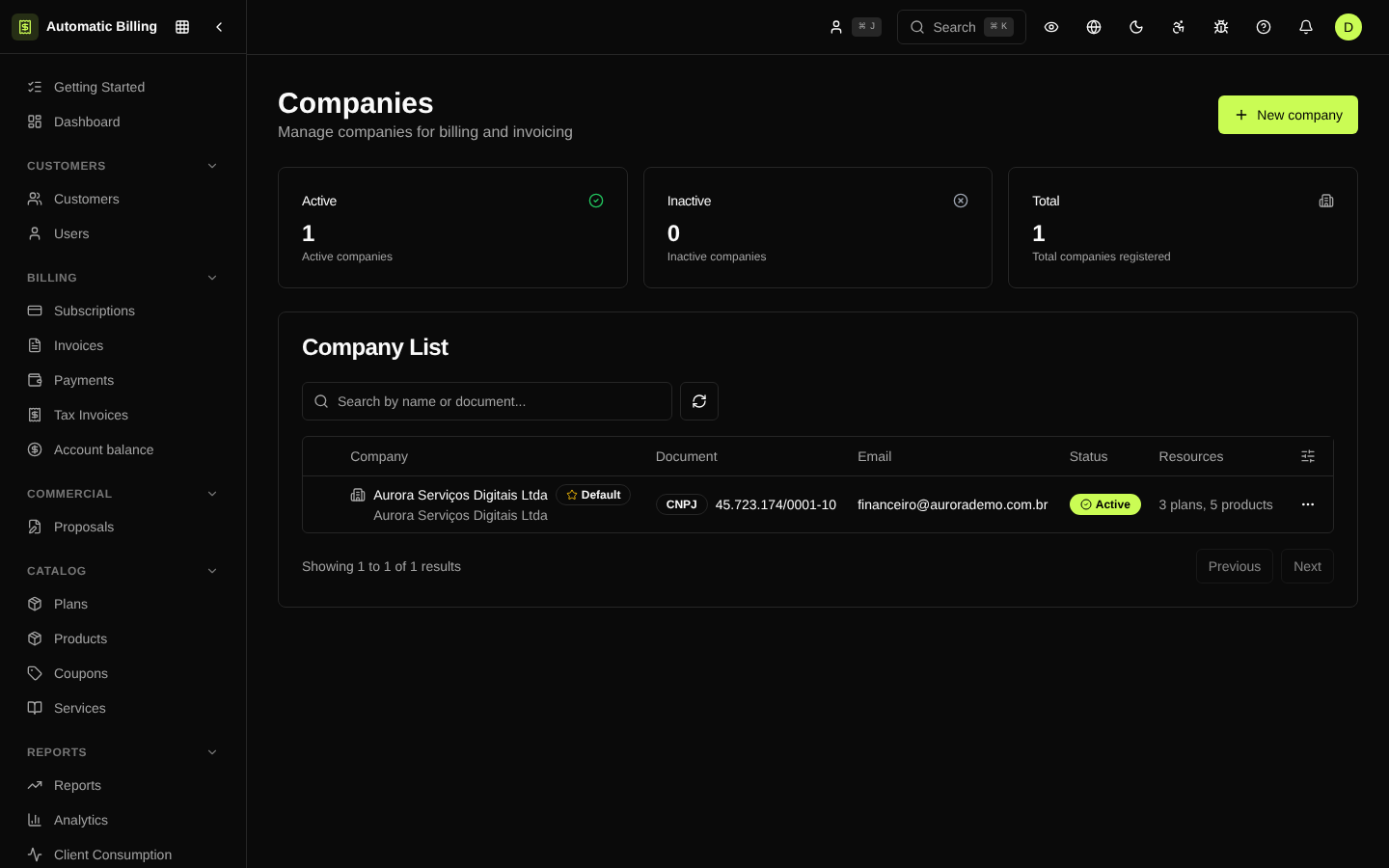
Screenshot — detail
The detail page (/dashboard/companies/[id]) gathers fiscal data, contacts, address and the history of invoices and NF-e issued by the company.