User Profile
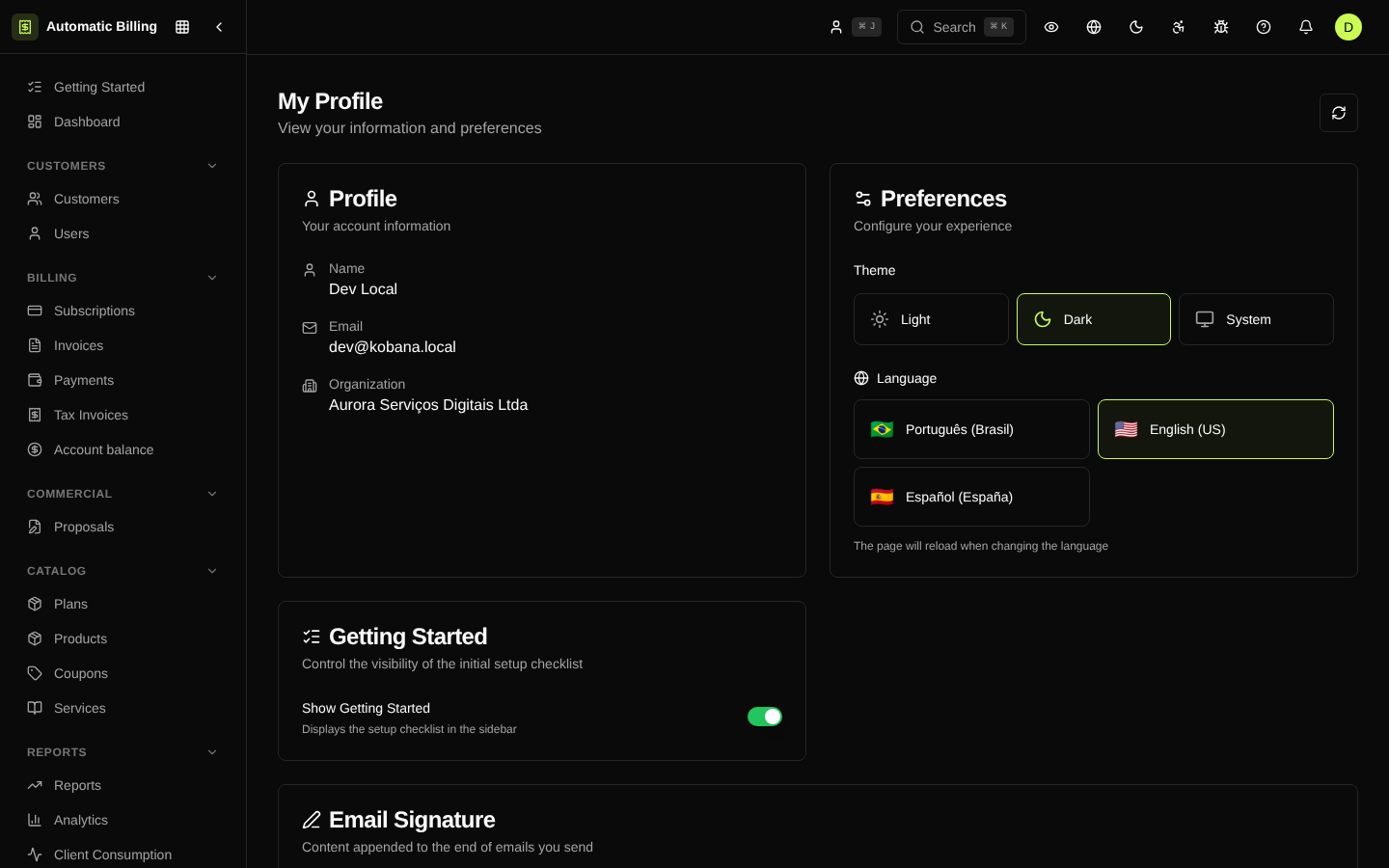
The /dashboard/profile page gathers the personal preferences of the signed-in operator: theme, language, time zone and notification settings. Unlike the organization's settings (which affect all members), profile preferences are per user and are stored both locally and on the server.
Account details
Shows information coming from the authentication provider (Kobana OAuth):
- Name and email
- Organizations the user has access to
- Roles assigned in each organization
Appearance
- Theme — light, dark or automatic (follows the operating system).
- Language —
pt-BRoren-US. Switching immediately updates the interface messages.
Onboarding
The profile also exposes the interactive onboarding controls: re-enable tips, mark steps as seen and revisit the dashboard's initial checklist.
Email signature editor
Includes a rich-text editor used to customize the signature applied to messages sent on behalf of the operator (bold, italic, links, images, lists, tables, etc.).
How preferences are persisted
- localStorage —
kobana-billing-preferencesstores theme and language for immediate hydration. - Server — changes are saved to the user's account to sync across devices.
Screenshot