Notifications
The notification system sends multichannel communications to customers about important events.
Channels
| Channel | Description |
|---|---|
| Sent via SMTP | |
| in_app | Stored in the database for display in the portal |
| webhook | Sent to the configured endpoint |
Notification Types
Subscriptions
subscription_renewal— Subscription renewedsubscription_created— New subscriptionsubscription_canceled— Subscription canceled
Payments
payment_succeeded— Payment processedpayment_failed— Payment failed
Invoices
invoice_created— Invoice generatedinvoice_overdue— Invoice overdue
Account
trial_ending— Trial expiringplan_changed— Plan changedaccount_suspended— Account suspendedaccount_activated— Account reactivated
Portal
portal_invitation— Portal invitationportal_signup_verification— Email verification
Proposals
proposal_sent— Proposal sentproposal_reminder— Proposal reminderproposal_expired— Proposal expiredproposal_accepted— Proposal acceptedproposal_rejected— Proposal rejected
Notification Status
| Status | Description |
|---|---|
pending | Awaiting delivery |
sent | Sent/queued |
delivered | Confirmed as delivered |
failed | Delivery failed |
read | Read (in_app only) |
Preferences
Each billing account can configure preferences per notification type:
- Enable/disable email
- Enable/disable in_app
- Enable/disable webhook
The system checks preferences before sending.
Retry
Failed notifications can be retried manually.
Screenshot
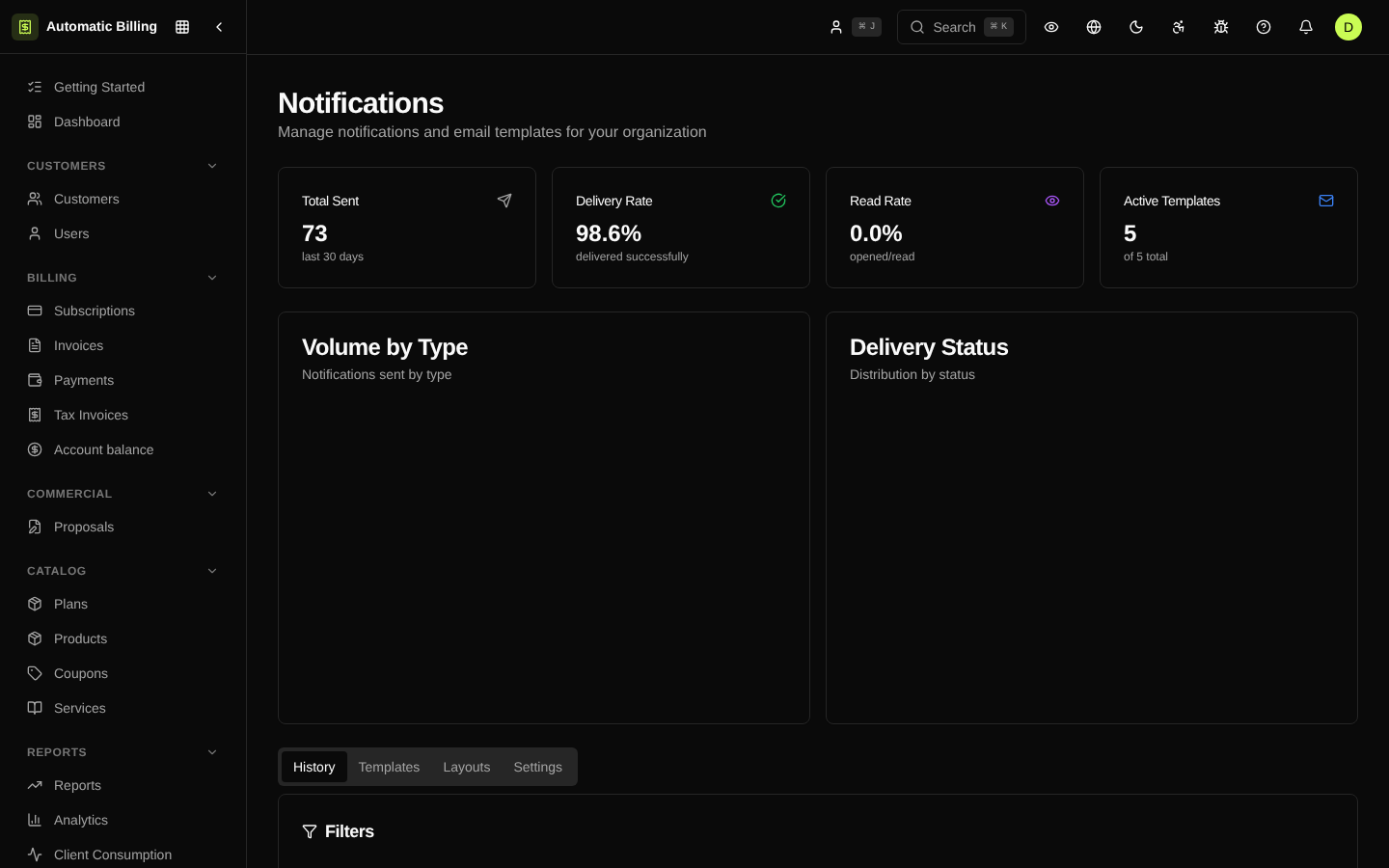
The /dashboard/notifications screen brings together channel configuration (email, in-app, webhook), templates per event, send history with status (sent, delivered, bounced, failed), delivery charts for the period and filters by channel, recipient and notification type.