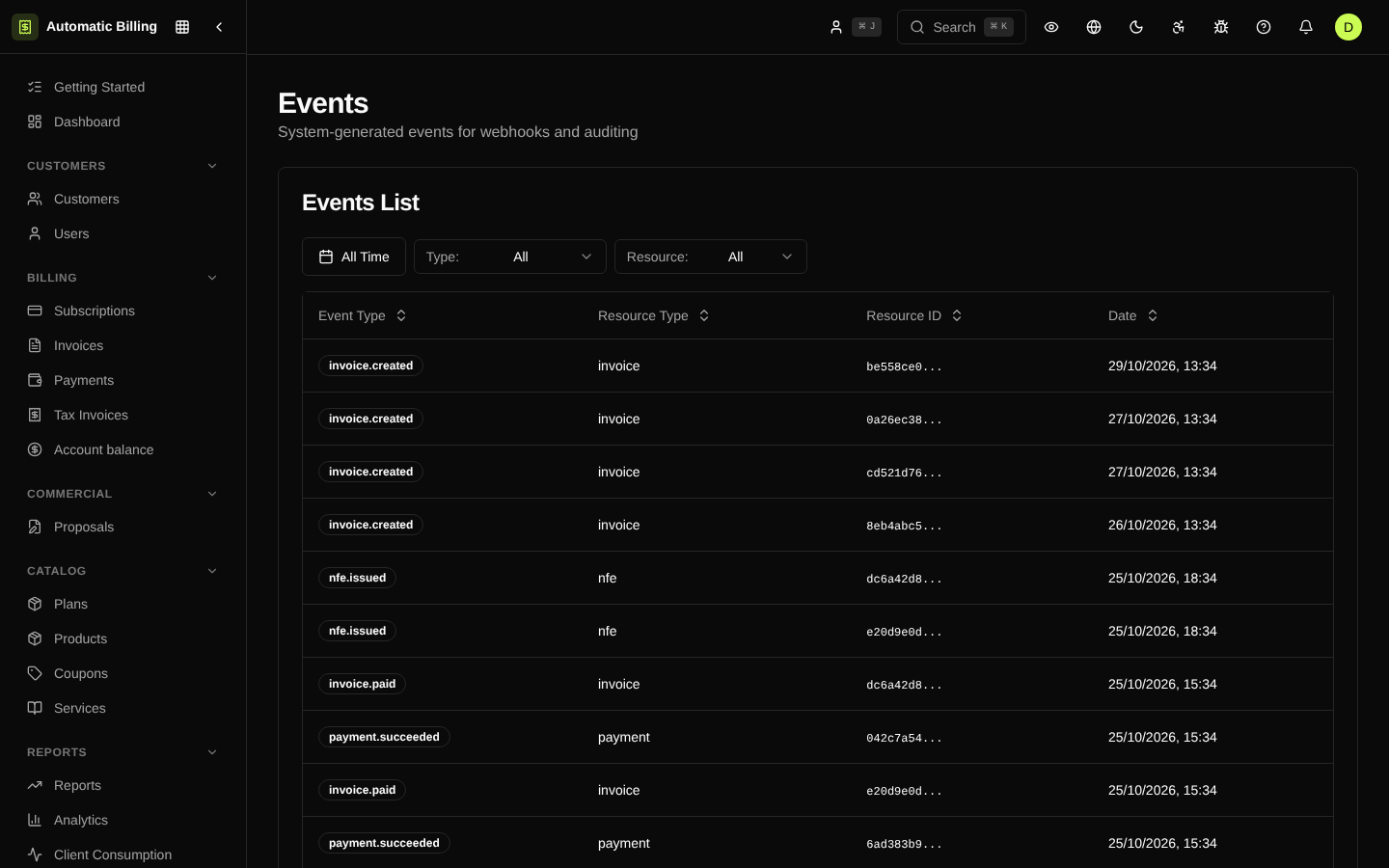
Events
The events screen (/dashboard/events) exposes the internal stream of domain events the system generates every time a relevant state changes — invoice.created, payment.succeeded, subscription.canceled, nfe.issued and dozens of others. It is the same queue that feeds Webhooks and the customer history in the portal.
Why it matters
Unlike the Audit Log, which records changes made by people, events represent what happened from the business domain's point of view — regardless of the origin (UI, API, worker, webhook received from a gateway).
Events are useful for:
- Debugging: finding out why a webhook did not reach its destination or why a subscription was canceled unexpectedly.
- Replays: resending events to an endpoint that was down.
- Integrations: confirming that an expected event was actually generated.
Event structure
Each event contains:
- type — name in the
resource.actionpattern (e.g.invoice.paid) - resource_type and resource_id — the affected entity
- payload — JSON with the relevant state at the time of the event
- created_at — when the event was emitted
- delivery_status — aggregate of the delivery attempts to the subscribed endpoints
Filters and search
The list offers filters by event type, resource, date range and delivery status. Each row can be expanded to show the full payload and the history of attempts on each subscribed endpoint.
Event catalog
The complete reference of event types (and when each one is triggered) is in Webhooks > Events.
Screenshot