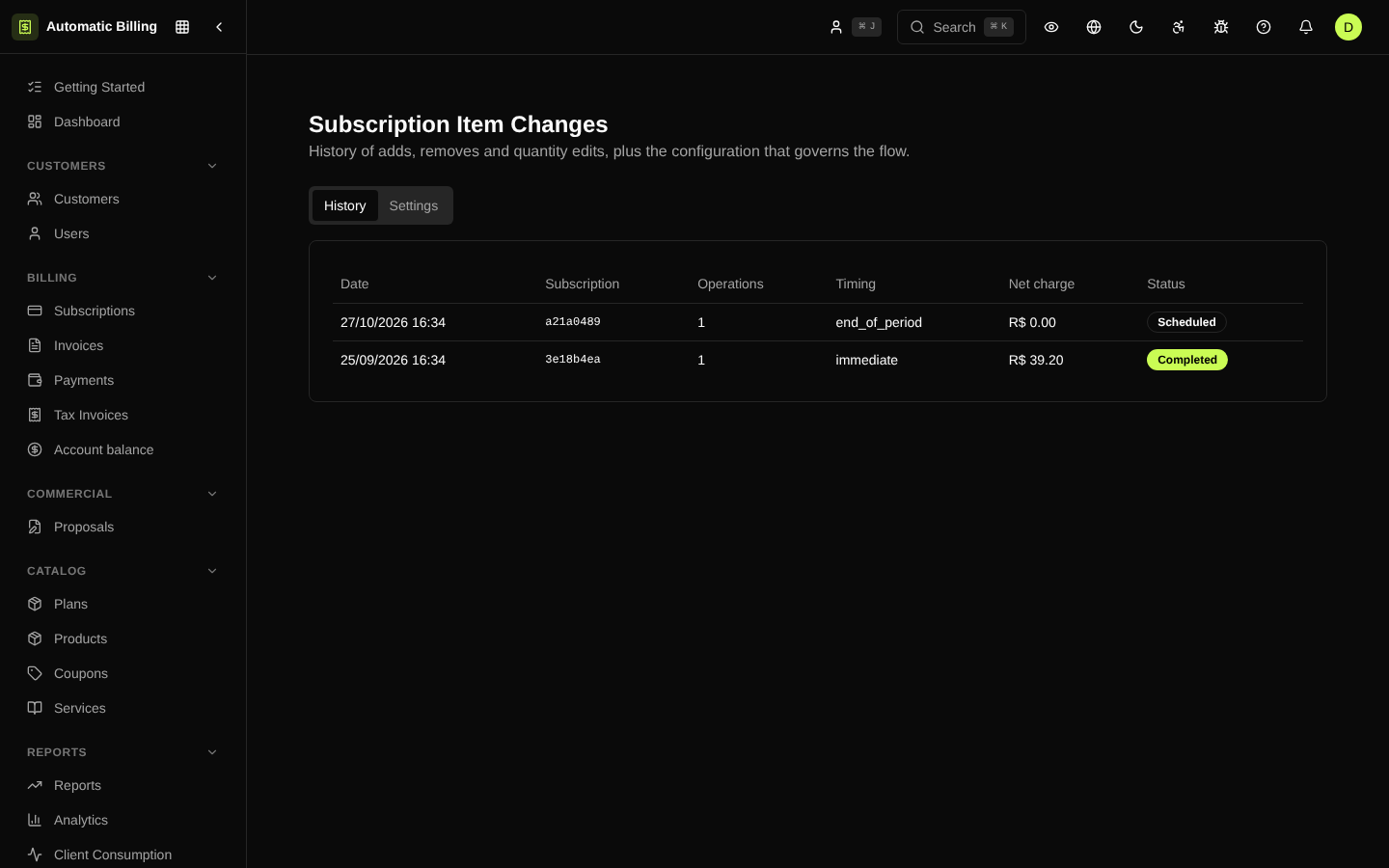
Subscription Item Changes
Besides plan changes (upgrade/downgrade), Automatic Billing supports changes to the individual items of a subscription — changing quantities, adding add-ons, swapping a one-off product or a metered item without having to change the main plan. The /dashboard/subscription-changes screen groups the history of these changes and the default proration settings.
History tab
Shows every item change recorded in the organization. Each row corresponds to a SubscriptionItemChange record and displays:
- ID of the affected subscription
- Status:
pending,scheduled,completed,canceledorfailed - Timing:
immediate(applies now) orend_of_period(applies on the next cycle) - Changes: items added, removed or changed (with quantity and price)
- Credit generated (
proration_credit) and charge generated (proration_charge) - Effective date and creation date
completed changes have already been processed; scheduled ones wait for the renewal worker to run them at the cycle turnover.
Settings tab
Defines the default behavior when an item is added, removed or has its quantity changed:
- Allow quantity increase and allow reduction — controls who can change what.
- Default timing — when the change is applied (immediately or at the end of the period).
- Proration method —
full_proration,partial_prorationorno_proration. - Credit on reduction — whether reducing the quantity creates a balance on the customer's account.
- Refund on reduction — whether it refunds through the gateway instead of creating a credit.
The settings are resolved per organization and can be overridden by specific rules at the time of the change via the API.
Item change vs. plan change
| Scenario | Screen |
|---|---|
| Switch from Starter to Growth | Plan Change |
| Add 10 extra users to the current plan | Item Changes |
Swap the Email Premium add-on for SMS Premium | Item Changes |
| Reduce the number of licenses at the end of the cycle | Item Changes |
Both flows generate proration when applicable, and both trigger events and webhooks (subscription.updated, subscription_item.changed).
Screenshot